Unlocking New Possibilities with Android Studio Quail 4

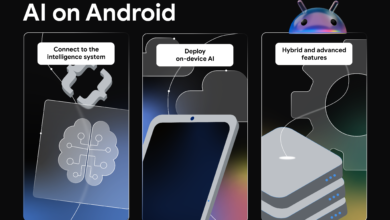
Android Studio Quail 4 has officially reached its stable release, marking a significant milestone for developers looking to enhance their app-building experience. This version introduces a range of features designed to streamline the development process, particularly through the integration of AI capabilities.
Key Features of Android Studio Quail 4
This latest iteration of Android Studio focuses heavily on improving productivity and efficiency for developers. One of the standout features is the enhanced AI agent that analyzes prompts and automatically invokes relevant skills from the metadata of installed tools. This means developers can benefit from immediate domain expertise without the burden of lengthy manual setups.
Preloaded Skills and Customization
- Android Studio Quail 4 comes preloaded with 23 curated skills, allowing developers to leverage built-in capabilities right from the start.
- For those looking for more tailored solutions, the option to create custom skills is available, enabling teams to extend the functionalities of the AI agent according to their specific workflows.
- Additionally, developers can utilize Android skills with other command line interface (CLI) AIs by installing Android CLI and executing a simple command to get started.
Integration of Gemma 4 for Enhanced AI Assistance
Another notable addition in Android Studio Quail 4 is the native integration of Gemma 4, Google’s advanced open model for AI code assistance. This integration eliminates the need for third-party setups, providing a seamless experience for developers seeking local model access.
With Gemma 4, developers can expect improved AI interactions, thanks to several UI enhancements aimed at making these engagements smoother and more intuitive. The default Gemini model is available out-of-the-box, dynamically adjusting its capabilities to ensure an optimal experience without any cost to the user.
Multitasking and Performance Improvements
Building on the multitasking features introduced in Quail 2, the latest release enhances agentic multitasking with improved parallel chat capabilities. This allows developers to manage multiple threads of conversation simultaneously, significantly boosting their workflow efficiency.
Moreover, wireless debugging has seen substantial improvements with ADB Wi-Fi 2.0, which introduces a new server stack and smarter network handling. This addresses previous usability concerns and makes the debugging process faster and more reliable.
Developer Feedback and Community Engagement
Android Studio Quail 4 reflects a commitment to addressing developer feedback, with a focus on accelerating productivity through AI integration. Users are encouraged to report bugs, request features, and engage with the vibrant developer community through various platforms like Instagram, LinkedIn, YouTube, and X.
As always, the development team is eager to hear user feedback, which plays a crucial role in shaping future updates and features. Developers can check out known issues and contribute to the ongoing improvement of the IDE through the official bug tracker.
Conclusion
With the stable release of Android Studio Quail 4, developers are equipped with powerful new tools to enhance their app development workflows. The integration of AI, multitasking capabilities, and improved debugging tools signify a major step forward in the evolution of Android development. As you dive into this new version, the possibilities for building innovative applications are endless.
Source for the original facts: Original source.