Enhance Your Gmail Security with Google Security Checkup
In today’s digital age, email security is more crucial than ever. With the increasing number of phishing attacks and unauthorized access attempts, it is essential to regularly evaluate who has access to your Gmail inbox. Fortunately, Google provides users with a simple yet effective tool known as the Google Security Checkup.
What is Google Security Checkup?
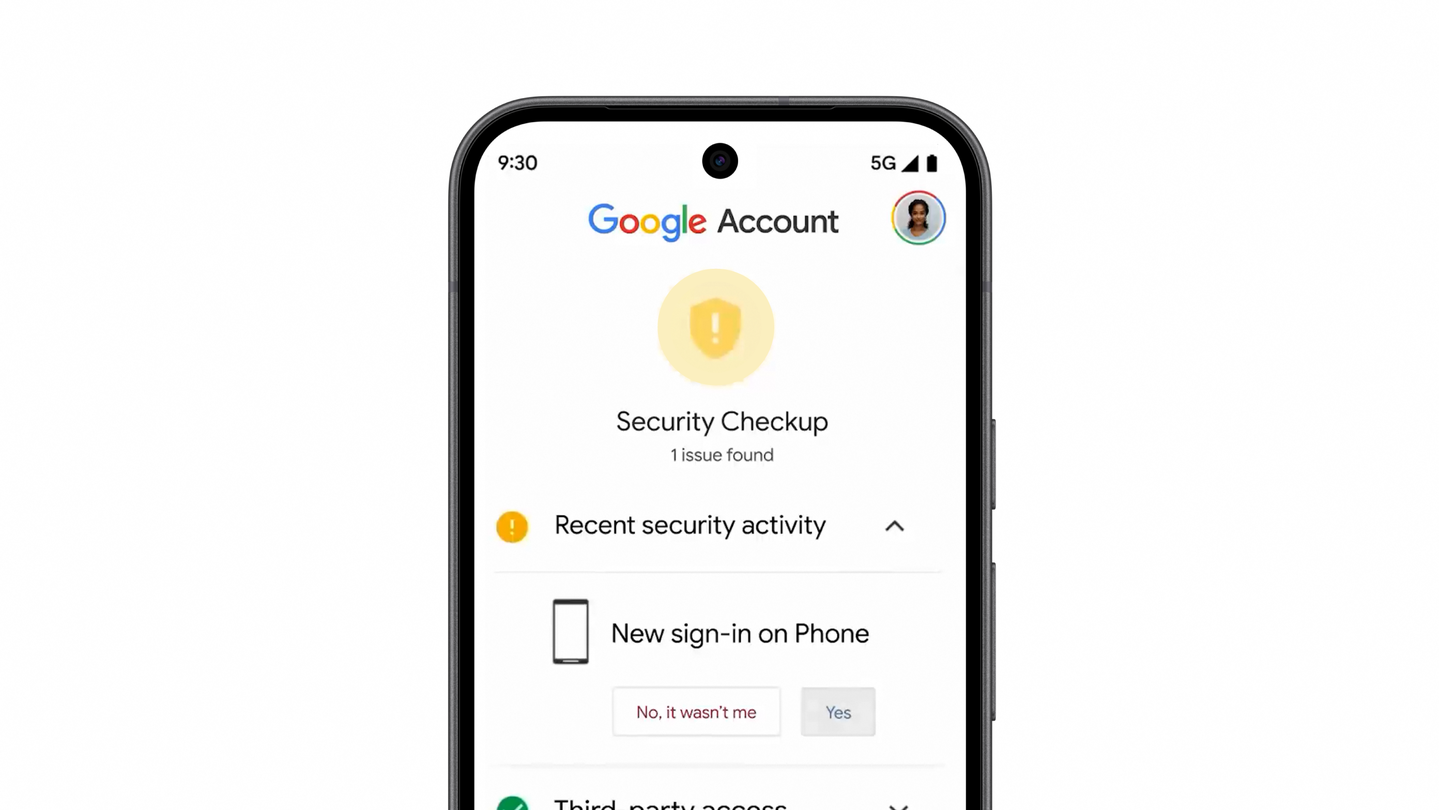
The Google Security Checkup is a user-friendly feature designed to help Gmail users assess their account’s security status. This tool allows you to quickly review the permissions granted to various apps and devices that may have access to your email. By taking just a few minutes to perform this checkup, you can significantly enhance the security of your inbox.
How to Use Google Security Checkup
Performing a Google Security Checkup is straightforward and can be completed in just three simple steps:
- Access the Checkup Tool: Start by logging into your Gmail account. Once logged in, navigate to the Google Account settings and locate the Security Checkup option.
- Review Account Permissions: The tool will display a list of devices and applications that currently have access to your Gmail. Take a moment to review this list and identify any unfamiliar or unnecessary items.
- Adjust Permissions: If you find any apps or devices that you do not recognize or no longer use, you can easily revoke their access. This step is crucial in protecting your personal information and maintaining the integrity of your email.
Why is Regular Security Checkup Important?
Regularly checking who has access to your Gmail inbox is vital for several reasons:
- Prevent Unauthorized Access: By reviewing the list of authorized applications, you can identify potential security risks and take swift action to mitigate them.
- Stay Informed: Awareness of who has access to your account enables you to make informed decisions about your email security.
- Reduce Phishing Risks: Regular checkups can help you spot and eliminate any apps that may be associated with phishing attempts, thus safeguarding your personal data.
Additional Tips for Securing Your Gmail Account
In addition to using the Google Security Checkup, consider implementing the following practices to further enhance your Gmail security:
- Enable Two-Factor Authentication: This adds an extra layer of security by requiring a second form of verification before granting access to your account.
- Use Strong Passwords: Ensure that your password is unique and complex, making it harder for unauthorized users to gain access.
- Stay Updated: Regularly check the Gmail Help Center for the latest tips and guidelines on protecting your account.
By taking the time to regularly perform a Google Security Checkup and following best practices for email security, you can protect your Gmail inbox from unwanted access and potential threats. Make it a habit to check your account’s security settings and stay one step ahead of cyber threats.
Source for the original facts: Original source.