
Unlocking the Future: Enhancing Your Apps for Googlebook
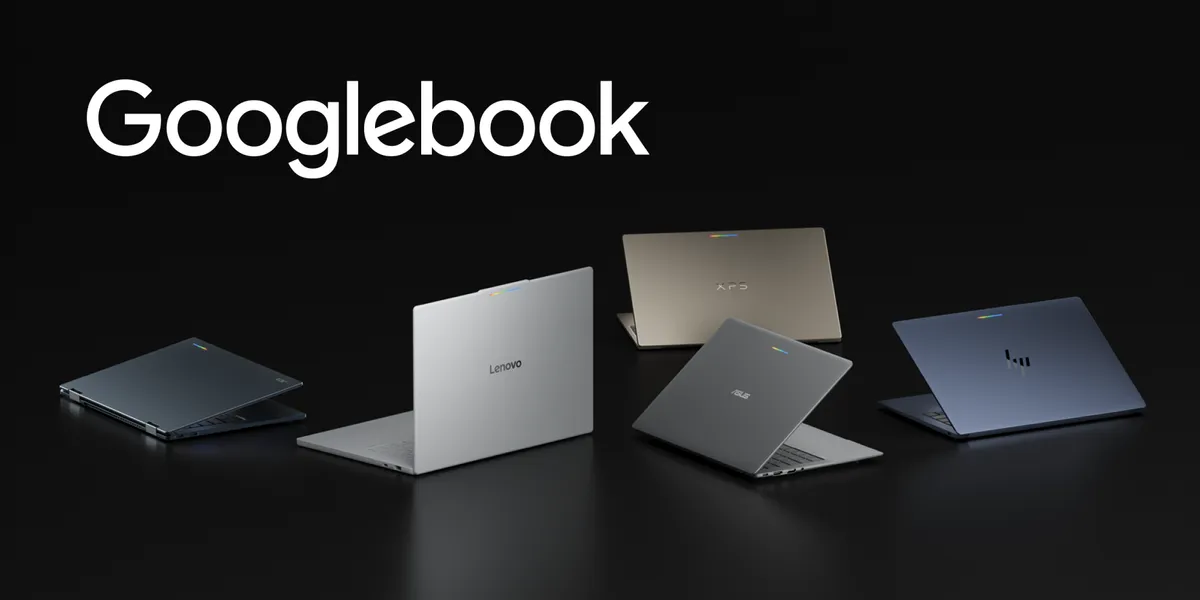
Googlebook has emerged as a groundbreaking innovation in the laptop market, merging the convenience of mobile devices with the robust capabilities of desktop computing. Built on a shared Android foundation, Googlebook devices from major manufacturers like HP, Dell, Lenovo, Acer, and Asus are equipped with high-resolution OLED touchscreens, dedicated keyboards, and precision trackpads, all while boasting impressive battery life and the advanced OS-level Gemini Intelligence.
Seamless Transition Between Devices
One of the standout features of Googlebook is its ability to facilitate a smooth transition for users moving from quick interactions on their smartphones to immersive sessions on their laptops. This fluidity not only enhances user experience but also presents significant opportunities for developers. By optimizing your apps for Googlebook, you can gain visibility across the Android ecosystem.
Maximizing Visibility through Google Play
Google Play is set to spotlight optimized applications that are tailored for Googlebook. This includes dedicated badging, enhanced search capabilities, and featured placements on curated store homepages. Moreover, developers can enroll in the Apps Experience Program, unlocking a new program rate card aimed at fostering business growth.
When users configure their new Googlebook with their Android phones, optimized apps will be prominently displayed, ensuring that your application enjoys immediate visibility from day one.
Adaptive Development: A Key to Success
One of the most exciting aspects of Googlebook is that developers do not need to create entirely new applications for this platform. Instead, they can leverage adaptive development strategies to enhance existing apps. If your application already uses adaptive layouts, it is well-positioned for success on Googlebook.
In a desktop environment, user expectations shift significantly. Developers should focus on higher information density, precision input, and multitasking capabilities. Following established desktop development and design principles will help maximize the user experience.
Designing for Desktop Environments
Adaptive layouts should be used to reorganize content into functional groupings rather than merely stretching mobile interfaces across larger screens. This can be achieved through a multi-pane architecture that allows the UI to expand and reflow as window boundaries change. With Navigation 3, developers can implement adaptive scene strategies to manage multi-pane layouts directly from their app’s back stack.
- Utilize ListDetailSceneStrategy and SupportingPaneSceneStrategy for side-by-side layouts.
- Incorporate scene decorators for persistent desktop navigation rails.
- Utilize layout primitives like Grid and FlexBox for complex content organization.
As app windows can be resized dynamically in a free-form desktop environment, developers should ensure that their layout decisions respond to available window space using window size classes.
Enhancing User Interaction and Experience
Googlebook’s desktop environment allows for versatile input methods, making it essential for developers to enhance app usability. Jetpack Compose supports physical keyboard navigation and pointer selection, allowing developers to integrate contextual cursors and right-click context menus, providing users with a rich interactive experience.
Furthermore, enabling multi-instance support allows users to launch independent windows for multitasking, enhancing productivity. Coupled with drag-and-drop functionality, users can fluidly manage content between multiple windows.
To make the most of the desktop environment, apps can also feature customizable window frames, complete with styled caption header bars and search functionalities.
Connecting Experiences Across Devices
Googlebook also offers a unique feature called Continue On, which maintains continuity across devices. This allows users to start a task on one device and seamlessly transition to another without losing context. Developers can utilize HandoffActivityData to preserve the state of applications, ensuring a smooth user experience.
As developers are already implementing these patterns, the transition to Googlebook has been seamless for many. For instance, the Notability team leveraged their existing adaptive layout to enhance their app for Googlebook, focusing on features that take full advantage of the larger screen.
As the Android ecosystem continues to evolve, adapting to new standards will be crucial. With the introduction of Android 17, developers are encouraged to adopt an adaptive-first development approach, catering to a diverse range of devices and form factors.
Source for the original facts: Original source.