Transform Your Workflow with Gemini’s New Document Editing Features
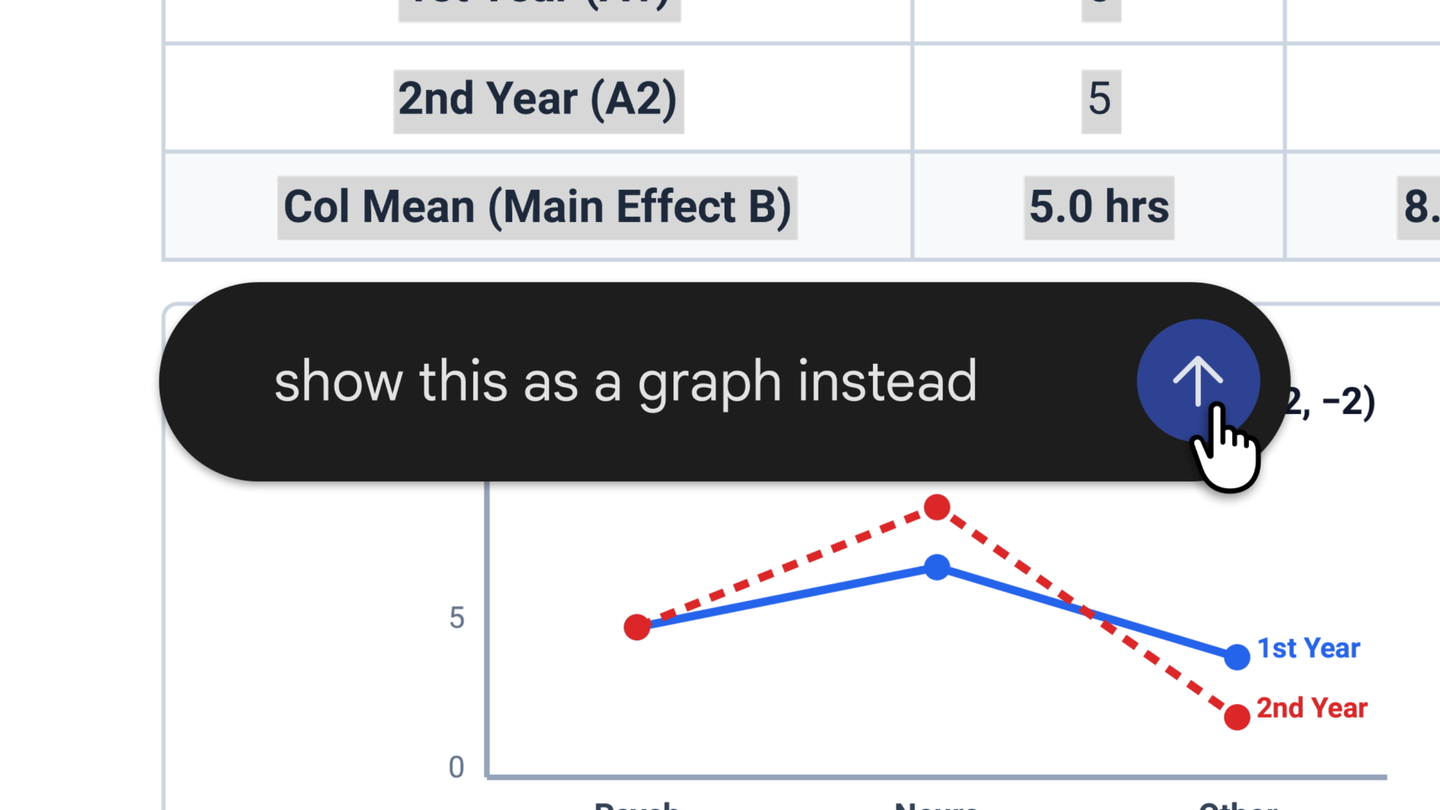
The Gemini app has taken a significant leap forward with its latest feature update, allowing users to create, preview, and edit various document types directly within the application. This enhancement is designed to streamline workflows and improve productivity, making it easier than ever to manage documents, presentations, spreadsheets, and more.
Enhanced Document Creation and Editing
With the new capabilities introduced in Gemini, users can now generate files such as PDFs, Google Docs, Google Sheets, and presentations directly from their chat interface. This seamless integration allows for a more fluid experience, enabling users to focus on content creation without the need to switch between multiple applications.
Direct Editing in the Chat Interface
One of the standout features is the ability to edit files directly within the chat. Users can expand the document to full screen for a more comfortable editing experience. This feature supports various formats, including:
- PDFs
- Google Docs
- Google Sheets
- Slide decks
- Markdown files
- Text files
- Code files
While PDF preview and editing are supported on both web and mobile platforms, other formats are available exclusively on the web. This ensures that users can work on their documents anytime, anywhere, using the device of their choice.
Interactive Features for Improved Collaboration
The interactive capabilities of Gemini allow users to highlight specific text sections and ask questions directly related to the content. This feature is particularly useful for collaboration, as it enables team members to provide feedback and request modifications without losing the context of the document. For instance, users can upload handwritten lecture notes and ask Gemini to create a structured PDF study guide. Once generated, they can make manual edits, highlight areas for further refinement, or inquire about specific content.
Access and Availability
These new features are now accessible to all users across various languages where the Gemini app is available. This broad accessibility ensures that a diverse range of users can take advantage of the enhanced document management tools, regardless of their location or language preference.
Conclusion
Gemini’s new document editing features represent a major advancement in how users can interact with their files. By integrating document creation and editing into the chat experience, Gemini simplifies workflows and enhances productivity. Whether you are drafting a presentation, editing a PDF, or collaborating on a spreadsheet, Gemini provides the tools to make these tasks more efficient and user-friendly.
Source for the original facts: Original source.