Unlocking the Future of XR Development with Android Tools
Introduction to Android XR Development
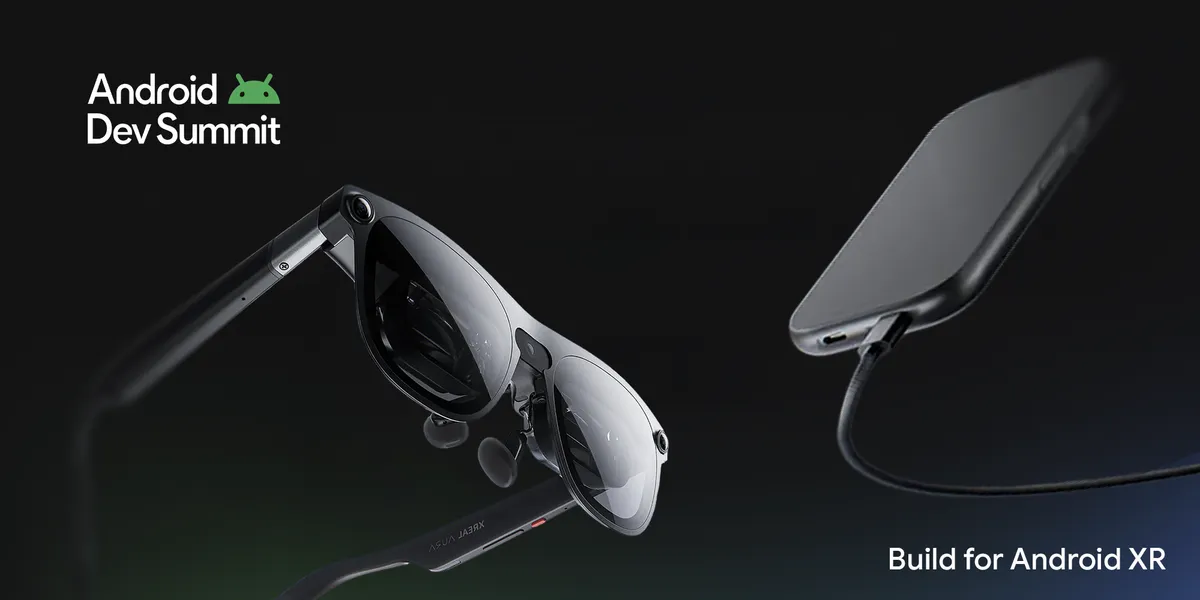
The landscape of augmented and virtual reality is evolving rapidly, and Android is at the forefront of this transformation. With the introduction of XREAL AURA, the first wired XR glasses powered by Android XR, developers are now equipped with the tools to create immersive experiences that cater to users’ needs, whether at home or on the go.
New Tools for Enhanced XR Experiences
At the recent Android Developer Summit, significant advancements were announced, including the graduation of core Jetpack XR libraries and device emulators to stable status. These developments provide developers with a solid foundation for building applications that leverage spatial interactions.
- Jetpack XR SDK: The core libraries, including Jetpack SceneCore and ARCore for Jetpack XR, now offer long-term API stability and robust performance.
- Stable Emulators: The Android XR emulators integrated into Android Studio enable developers to test and validate layouts across XR devices without the need for physical hardware.
Real-World Applications of XR Tools
Developers can explore how these foundational APIs translate into practical applications. For instance, the Moving beyond 2D with custom 3D geometry in the Jetpack XR SDK session showcases the animation of glTF models and real-time procedural 3D mesh generation using Kotlin.
The Geospatial APIs in ARCore for Jetpack XR have also reached stability, allowing developers to anchor digital content to real-world coordinates with precision. This feature opens the door to contextual, location-aware applications that can enhance user engagement through interactive experiences.
Architecting for Multi-User Experiences
As collaboration becomes increasingly important in XR environments, the tools available for creating shared experiences have improved significantly. The session Architecting Spatial Content on Android XR with Unity delves into techniques for mapping physical spaces and synchronizing multi-user interactions.
Additionally, the Android XR Engine Hub has streamlined the setup and optimization processes across popular game engines like Unity, Godot, and Unreal Engine. This hub simplifies project scaffolding and provides native profiling workflows, allowing developers to optimize their applications effectively.
Innovative Audio Interactions
In tandem with visual enhancements, new audio interaction tools are being introduced. Developers can now utilize the ML Kit Gen AI Text to Speech API, enabling the creation of natural-sounding voices for hands-free applications. With updated design guidelines for audio-first environments, developers are encouraged to explore sound design best practices to enhance user experiences.
Getting Started with Android XR
With the latest developments in Android XR tools, now is the ideal time for developers to dive into creating immersive experiences. By updating to the latest stable release of Android Studio, developers can access the necessary libraries and plugins to kickstart their projects. The Android XR ecosystem is rapidly expanding, and resources like the Android XR Developer Site provide essential guides and tools to facilitate this journey.
As we look to the future, the potential for innovation in the XR space is limitless. With tools that support both immersive and augmented experiences, developers are poised to transform their ideas into reality, paving the way for a new era of interaction.
Source for the original facts: Original source.